YourOrbita

YourOrbita SMS Notifications

YourOrbita can send text message notifications about activity on your account. Text messages are optional. You are never required to receive them, and YourOrbita works fully without them.

Who receives messages

Only people with a YourOrbita account who have opted in receive text messages from us. Messages are sent only in connection with activity on your own account — a request you sent, a request sent to you, or a service you scheduled. YourOrbita never sends text messages to people who do not have an account, and never sends marketing or promotional messages.

What we send

How you opt in

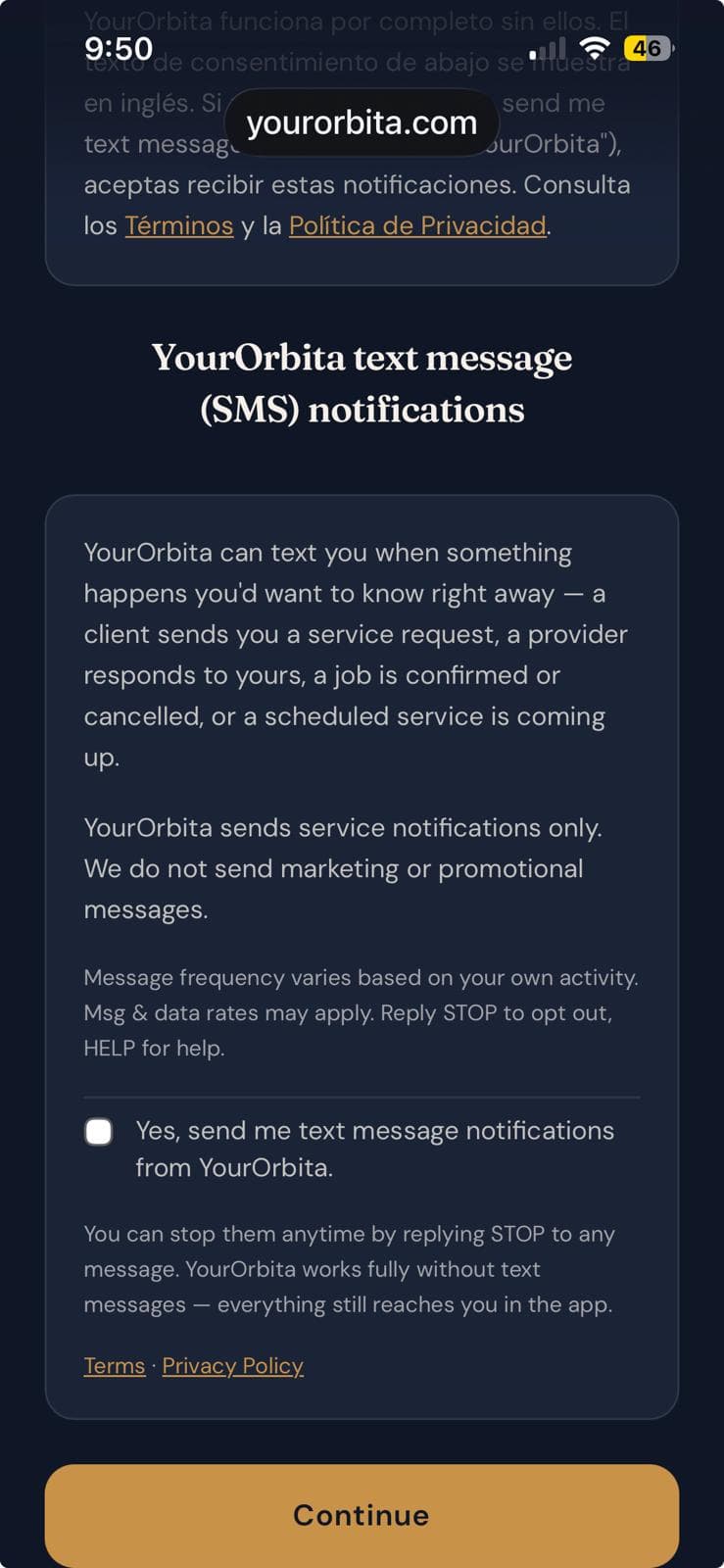
Opt-in happens inside the YourOrbita app, after you create your account. During setup you are shown the screen below. The checkbox is unchecked by default, and you can continue without checking it - you'll be asked to confirm that you want to skip. Nothing is sent unless you check the box.
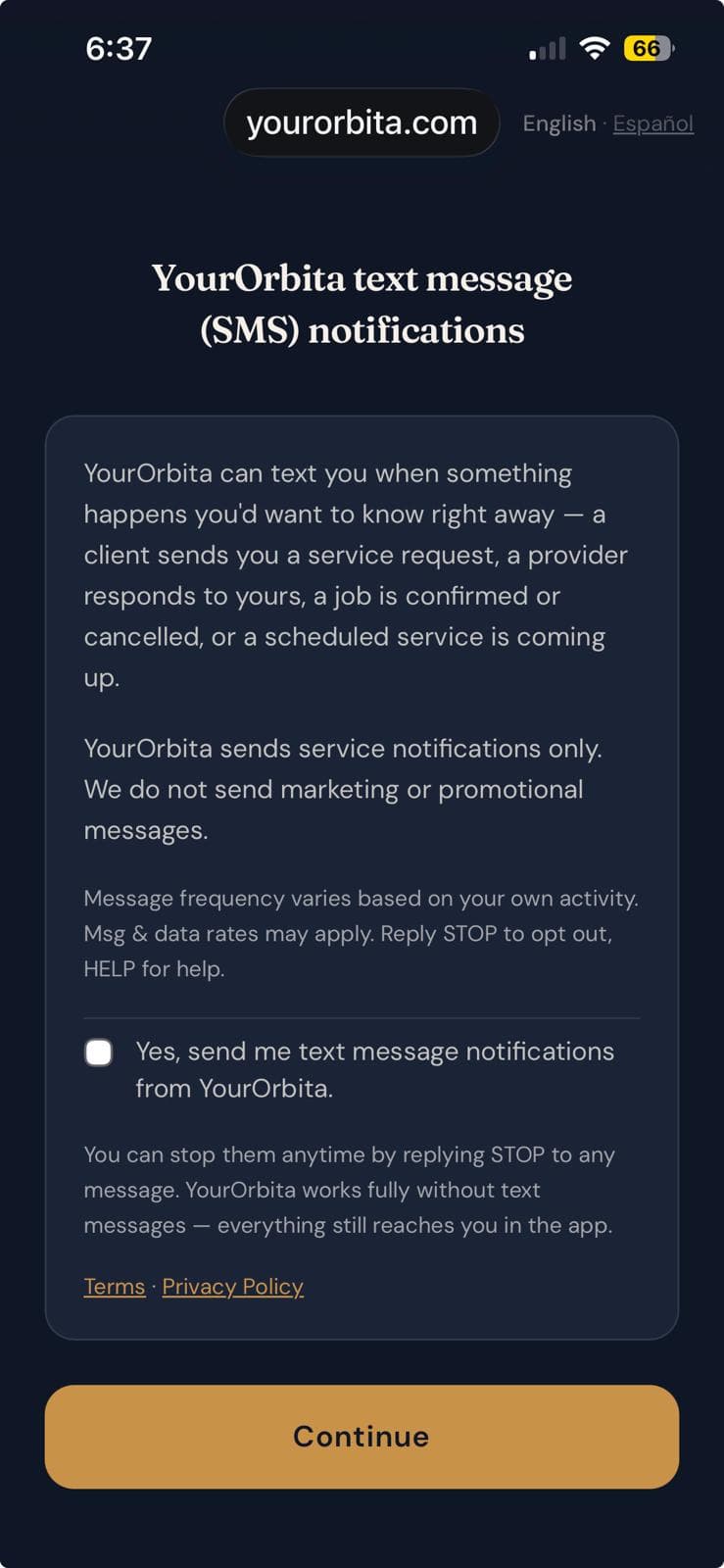
The YourOrbita in-app SMS notifications consent screen, showing the opt-in checkbox unchecked by default.
English-language set: the in-app consent screen. The opt-in checkbox is unchecked by default; text notifications are entirely optional. The consent wording is the same English text shown to all users. A language switch is available on this screen; the consent wording is the same English text in either language.
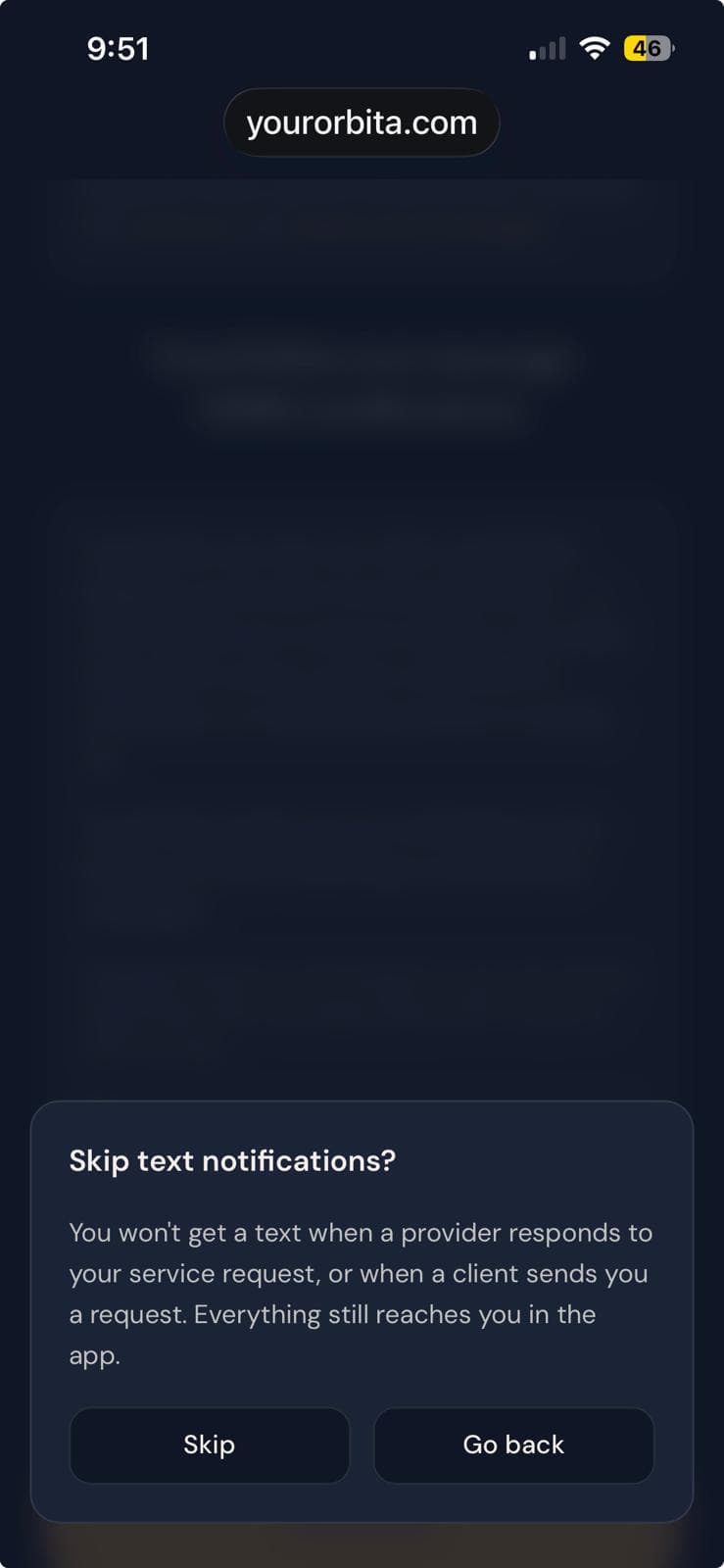
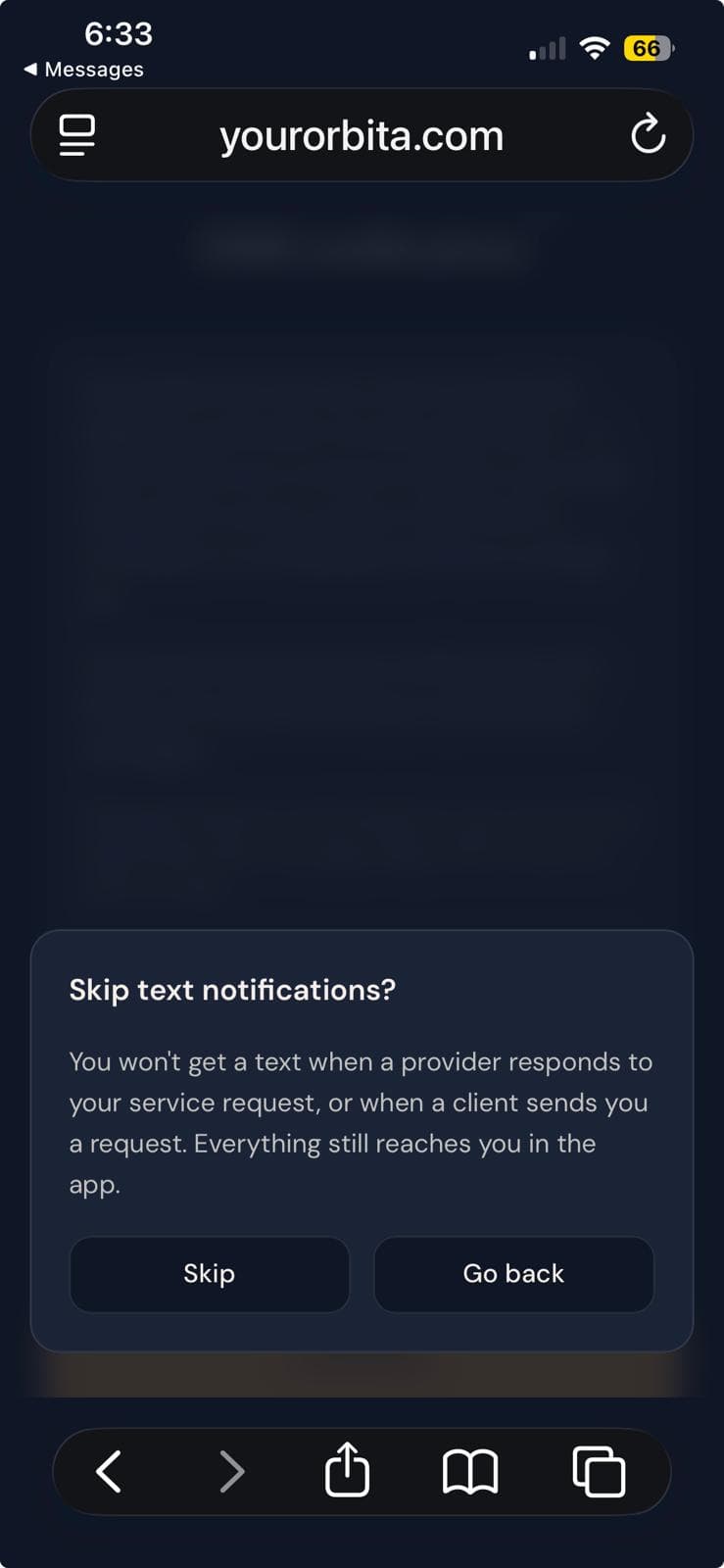
The YourOrbita in-app confirmation dialog shown when continuing without opting in, offering a choice to skip text messages or go back.
English-language set: the confirmation dialog shown when continuing without opting in. It is informational: skipping continues into the app, and going back returns to the consent screen.
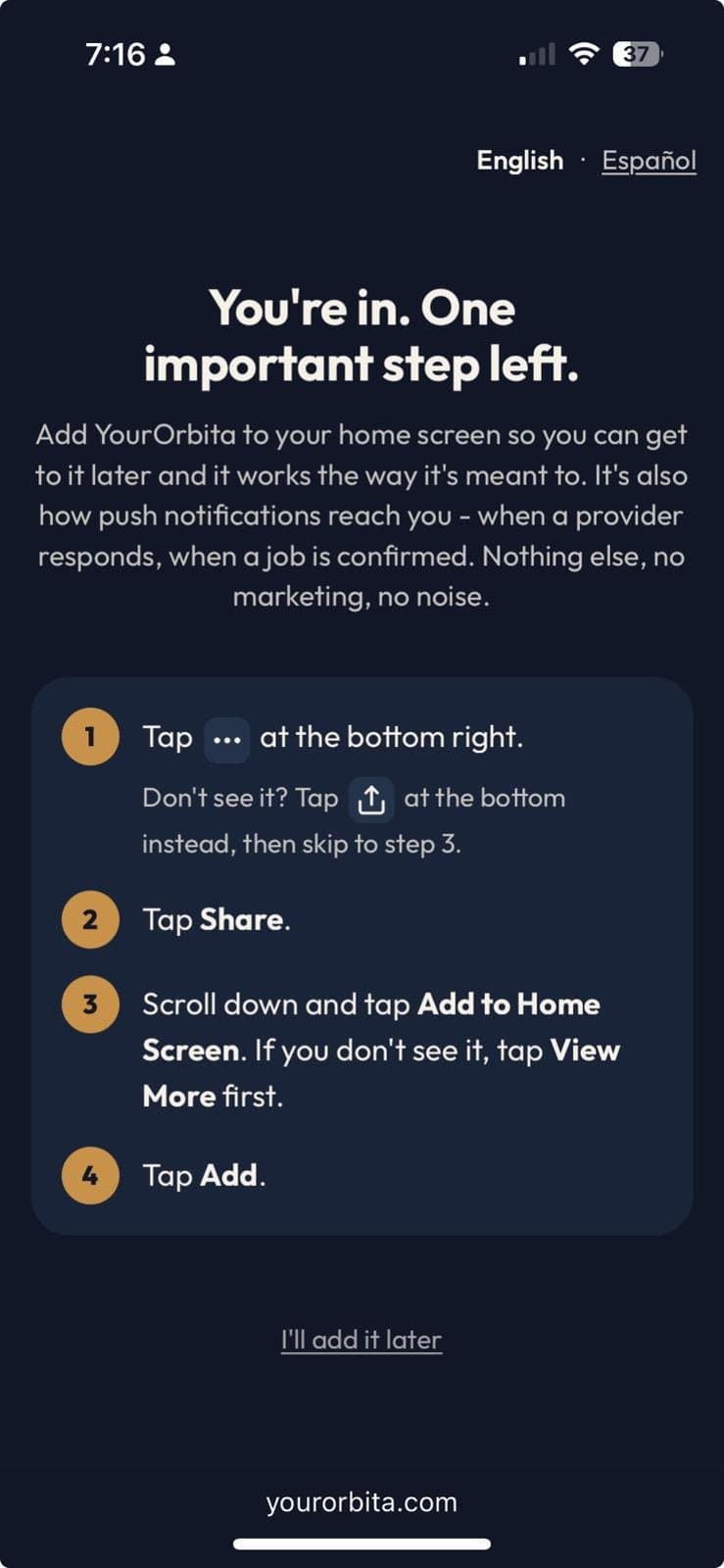
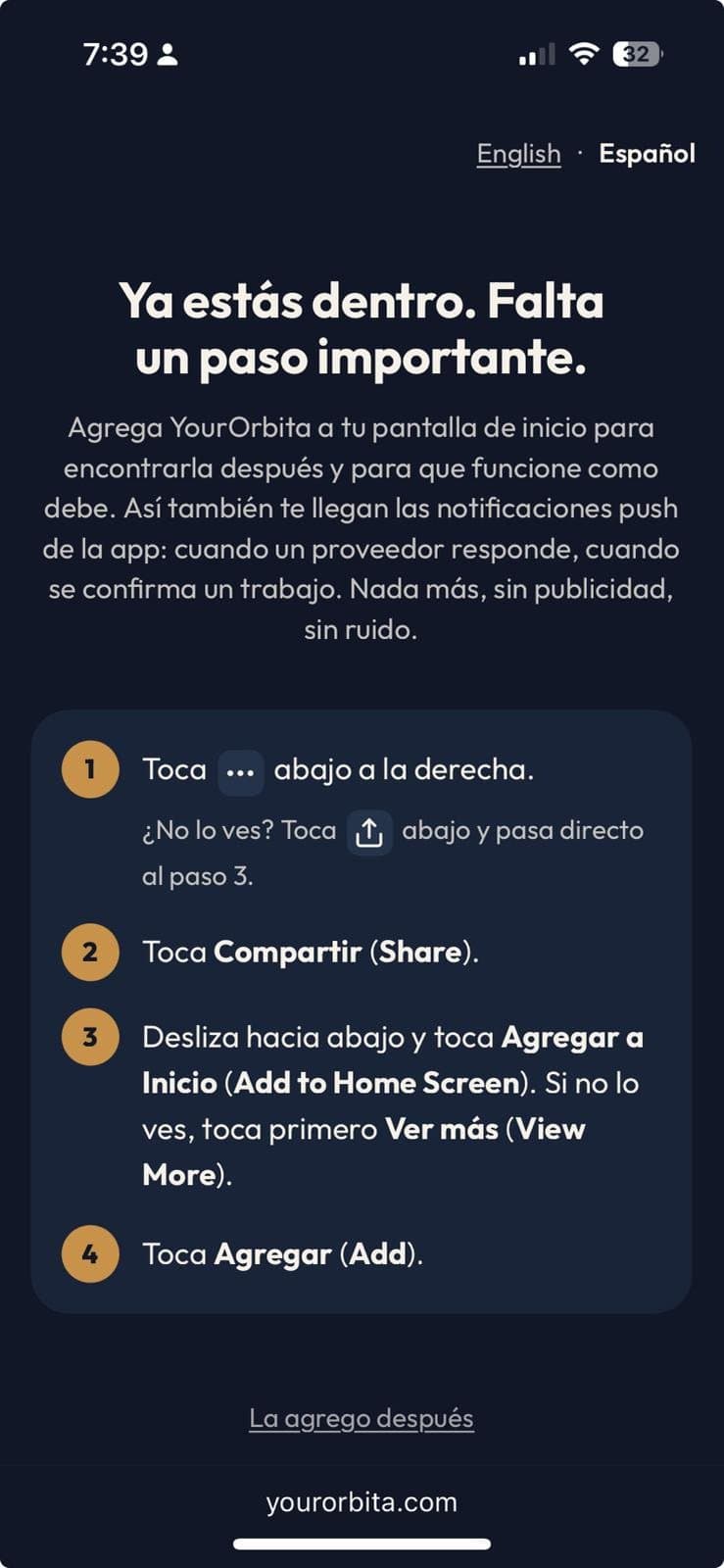
The YourOrbita install screen, the setup step reached after declining text messages. It is unrelated to SMS consent, appears whether or not texts were turned on, and leads to full access to the app.
English-language set: where the user lands after declining text messages: the next setup step, adding YourOrbita to the home screen. It is unrelated to text-message consent, is shown whether or not text messages were turned on, and leads to full access to the app.
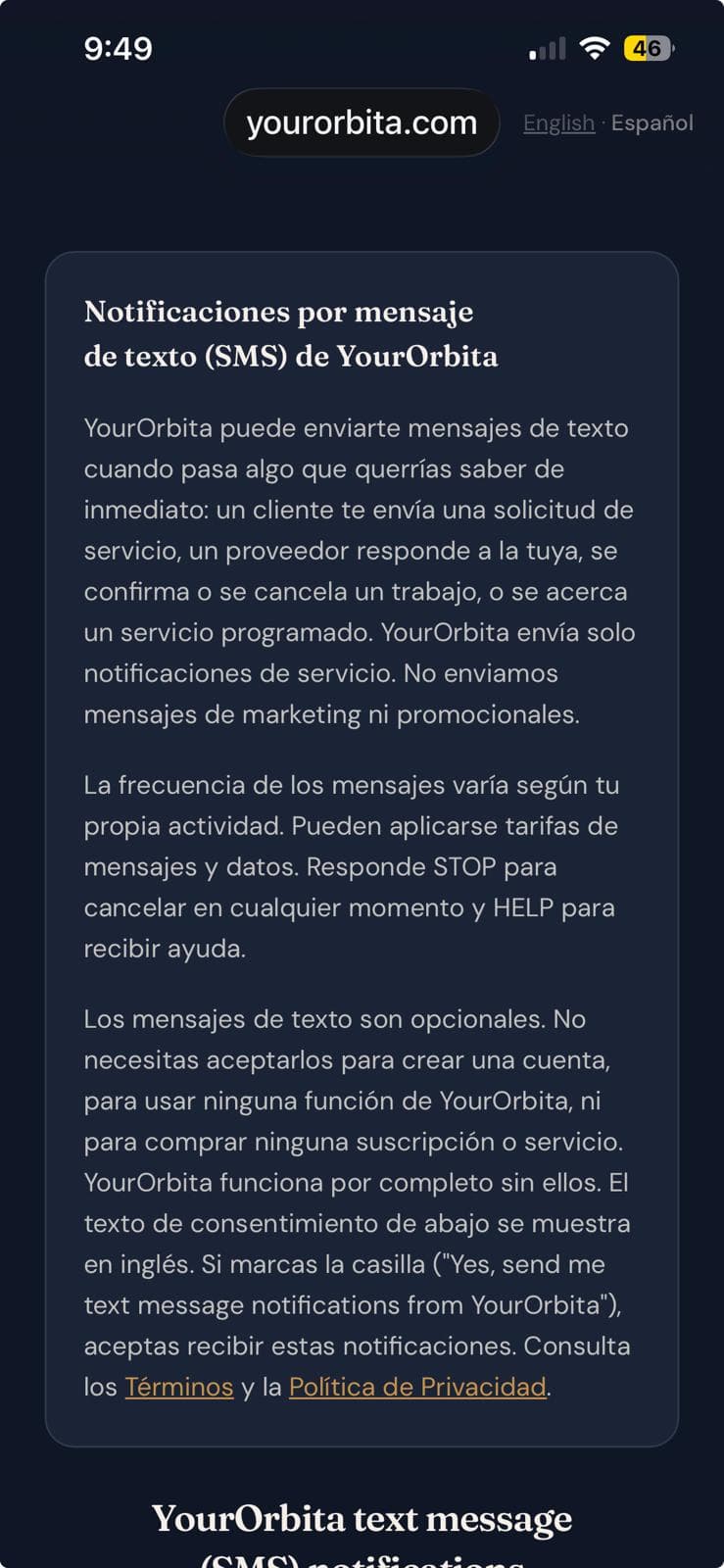
The top of the YourOrbita in-app SMS notifications consent screen for Spanish-language accounts, showing the language switch and the Spanish explanation above the consent card; the first of two screenshots of one screen.
Spanish-language set, 1 of 2: the top of the in-app consent screen. The Spanish text explains the program; the consent wording appears below it in English and is the same text shown to all users. A language switch is available on this screen; the consent wording is the same English text in either language.
The same screen scrolled down, showing the English consent wording that is shown to all users, with the opt-in checkbox unchecked by default; the second of two screenshots of one screen.
Spanish-language set, 2 of 2: the same screen, scrolled down. The opt-in checkbox is unchecked by default; text notifications are entirely optional.
The YourOrbita in-app confirmation dialog, shown in English to all users, appearing when continuing without opting in from a Spanish-language account, offering a choice to skip text messages or go back to the consent screen.
Spanish-language set: the confirmation dialog shown when continuing without opting in. It is informational: skipping continues into the app, and going back returns to the consent screen.
The YourOrbita install screen, in Spanish, the setup step reached after declining text messages. It is unrelated to SMS consent, appears whether or not texts were turned on, and leads to full access to the app.
Spanish-language set: where the user lands after declining text messages: the next setup step, adding YourOrbita to the home screen. It is unrelated to text-message consent, is shown whether or not text messages were turned on, and leads to full access to the app.

The exact wording you see

YourOrbita text message (SMS) notifications

YourOrbita can text you when something happens you'd want to know right away — a client sends you a service request, a provider responds to yours, a job is confirmed or cancelled, or a scheduled service is coming up.

YourOrbita sends service notifications only. We do not send marketing or promotional messages.

Message frequency varies based on your own activity. Msg & data rates may apply. Reply STOP to opt out, HELP for help.

Yes, send me text message notifications from YourOrbita.

You can stop them anytime by replying STOP to any message. YourOrbita works fully without text messages — everything still reaches you in the app.

Terms · Privacy Policy

Continue

Frequency, rates, and how to stop

Message frequency varies based on your own activity. Messages are sent only when there is relevant activity on your account.

Msg & data rates may apply.

Reply STOP to any YourOrbita message to stop receiving text messages. Reply HELP to any YourOrbita message for help, or email support@yourorbita.com.